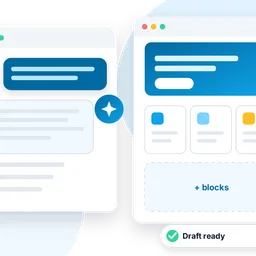
Articles, with AI
Tell me more: your blog, fed by the channels you follow
Choose the YouTube, PeerTube and Vimeo channels and the blogs worth following. Tell me more reads what they publish, finds the topics and writes original drafts in your words: you only choose, check and publish.
€49 + 22% VAT a year per site.

✓ Tested at every change
Type checks and automatic tests at every change, then the plugin is built and installed on a test Cleitext to check that it loads. The catalog publishes it only when everything is green.
From sources to drafts
What Tell me more does
Many sources at once
YouTube channels and playlists, PeerTube, Vimeo, and any blog with an RSS feed: up to 60, read every 6 hours.
Suggested by the AI
Say what your site is about and the AI proposes sources to follow; each one is checked before you see it.
Topics, not copies
Videos and posts are grouped by subject: one article draws on several sources, it does not rewrite one video.
In your words
Original drafts in your site’s language and tone, with your wishes for each article. They never copy sentences, never name the videos or their authors.
Further reading, if you want
Tick the links that go in a «Further reading» list at the end of the article; or none.
In brief
A short summary of one of your articles, for readers in a hurry, with the link to read it all.

Sources
Follow who knows the subject
Paste the address of a channel, a playlist or a blog: Tell me more finds its feed and reads the titles and descriptions of what it publishes.
- Only the public feeds of the channels: no page is copied, no video downloaded
- For your own videos, paste the transcript: the AI uses it as background
- Turn a source off or remove it at any time

Your voice
Drafts that sound like you
Choose the tone, the length and tell the AI who you are and who reads you: every article keeps it in mind. Then each draft opens in the editor, and you publish it when it is ready.
- Drafts by default: nothing is published unless you choose so
- The AI is yours: the provider set in Chriss, with its credit
With Palinsest
Publish with regularity
Tell me more connects to Palinsest, the free editorial calendar of Cleitext. Choose how often to publish, such as once a day or every Tuesday: about 30 minutes before each slot, Tell me more writes the article on the next topic in line, so it is ready on time.
- A draft to check, or published by itself at the slot’s time: you choose
- The whole week at a glance, in Posts → Editorial calendar
- Tell me more 1.3 and Cleitext 0.98 or later
Three steps
Tell me more on your site
Set the AI
In Chriss → Settings: any OpenAI-compatible service (Cleitext 0.96.6 or later).
Install and activate
From Plugins → Add New, with the license key you received.
Add sources, find topics
Then choose a topic and write the draft.
Buy
Buy a Tell me more license
€49 + 22% VAT a year per site, with updates and support for 12 months. Add it to the cart and pay, by bank transfer or PayPal: once the payment is recorded, the license key arrives by email.
Questions, or another plan? Write to us with the form or at [email protected].
Thank you: we will reply soon by email.
The message was not sent. Check the fields and try again.
The spam check did not pass: please try again.
Questions
Which AI does it use?
The one of your site: the provider a super admin sets for Chriss (any OpenAI-compatible service). The articles use its credit; Tell me more never sees its key.
Does it copy the videos or the posts?
No. It reads only titles and the authors’ descriptions from the public feeds, and asks the AI for an original article on a topic, built on several sources, without copying sentences or naming them. You check every draft before publishing: the content of your site stays your responsibility.
Can I use my own YouTube videos?
Yes: follow your channel and paste the transcript of your videos on them; the AI uses your words as background.
What happens when the license ends?
Your drafts, articles and sources stay as they are. Finding topics and writing new drafts wait for a renewal.
Can I move the license from one site to another (for example to a new domain)?
Yes. On the old site press “Remove license”, then on the new site paste the same key and press “Activate license”. The key and the end of the updates stay the same. How, step by step.