Paid plugin · SEO
Setax: every search, a page of its own on Google
People search with precise words: “Bosch washing machines in Albenga”, “built-in fridges in Savona”. Setax lets your visitors combine the words you use to classify your pages, whatever they are: types, brands, categories, places, any taxonomy. They see the pages that match, and every combination with results becomes a page of its own for search engines, with its own title and description.
€99 + 22% VAT a year per site, with updates and support.

✓ Tested at every change
Type checks and automatic tests at every change, then the plugin is built and installed on a test Cleitext to check that it loads. The catalog publishes it only when everything is green.
Made for search engines
A filter that brings visits
Most filters hide their results from search engines. Setax does the opposite: every useful combination is a real page that Google can find.
Filters with any taxonomy
Types, brands, categories and the place of your pages, crossed with each other: a page matches when it has every value chosen. A site can have several filters.
Selects that help
Each select shows only the values with results for the choices before it, so nobody lands on an empty list. A dimension can be required.
A page for every combination
A readable address, one canonical address in whatever order the choices arrive, its own title, heading and description, structured data and a place in the sitemap.
In your words
Titles, headings and descriptions come from templates you write once, with the number of results and the right Italian “ad Albenga”.
No empty pages
Choices without results, with a value that does not exist or without a required dimension stay out of search engines.
Links to every choice
Under the form, every value of the first choice with the values it has results with, as plain links: visitors browse, search engines find them all.
An example
From three choices to a page on Google
A service centre lists its pages by appliance, brand and town. Setax shows three selects and a button: whoever chooses washing machines, Bosch and Albenga arrives at a page titled “Bosch washing machines in Albenga”, with the matching pages.
/zone/?tipo=lavatrici&marca=bosch&comune=albenga
- You can also choose only some of them: the title leaves out what is not chosen
- The page with the filter keeps its own address
Texts that write themselves
Titles, headings and descriptions are templates you write once, with a word for each choice:
- {tipo}, {marca}, {comune}: the values chosen
- {n}: the number of results, “1 result”, “3 results”
- Parts in square brackets left out when they name something not chosen
- In Italian, “a” becomes “ad” before a town starting with “a”: “ad Albenga”
- Or press “Suggest texts from the dimensions”, and check the preview of every combination
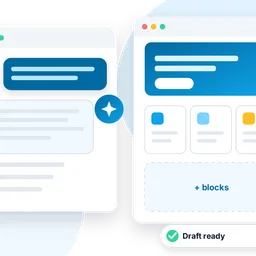
- Or press “Write with Chriss”: the AI assistant of Cleitext writes them for you, and nothing is saved until you press Save
If your pages have a place
Every page with a place is a service
A page with a place tells search engines which service it offers, in which town, and that your business provides it, as described by the SEO plugin. Filter pages add the list of results and the breadcrumb to the same structured data.
Coming from WordPress?
The place comes from the old site
Activate Setax before importing: the WordPress Importer brings your taxonomies and their terms, and Setax reads the place of each page from a field of the old site, such as an ACF field “comune” or any post meta.
Four steps
Setax on your site
Activate it
With its license, in Plugins. Your pages get a Place field, in the editor’s sidebar.
Create a filter
In the Setax menu: its dimensions, the address parameter and the label of each select.
Write the texts
Or have them suggested, or written by Chriss, then check the preview.
Add the block
Put “Filter by type and place” on a page, with the filter’s name.
Needs Cleitext 0.96.7 or later.
Buy
Buy a Setax license
€99 + 22% VAT a year per site, with updates and support for 12 months. Add it to the cart and pay, by bank transfer or PayPal: once the payment is recorded, the license key arrives by email.
Questions, or another plan? Write to us with the form or at [email protected].
Thank you: we will reply soon by email.
The message was not sent. Check the fields and try again.
The spam check did not pass: please try again.
Questions
Who is it for?
To every site whose pages are classified with words people search for: services, shops, products, places, or any taxonomy of yours. The place is optional: Setax crosses any words, and gives each useful combination its own page.
I already use Setax 1: what changes?
After the update your block shows exactly what it showed: same form, addresses, titles, descriptions, canonical addresses and sitemap. The Setax page starts from that filter; once you save it, you can add dimensions to it.
Does “Write with Chriss” cost extra?
Setax adds no cost. Chriss writes with the AI provider set for it on your site, with your own account and key (OpenAI, Anthropic, Gemini, Mistral, OpenRouter or Ollama): the AI cost is yours, charged by your provider. “Suggest texts from the dimensions” uses no AI and stays free.
What does Chriss receive?
Nothing until you press the button. Then only the names of the dimensions and some example values, such as types, brands and towns: no text of your pages and no personal data. On multilingual sites it writes in the main language of the site.
How big can a filter be?
Up to 5 dimensions per filter, one of them the place, and up to 20 filters per site. The sitemap takes up to 5,000 addresses per filter, a limit you can change.
Will my old addresses change?
No: the page with the filter keeps its address; the choices add new ones, always with their parameters in the same order.
Can I move the license from one site to another (for example to a new domain)?
Yes. On the old site press “Remove license”, then on the new site paste the same key and press “Activate license”. The key and the end of the updates stay the same. How, step by step.